Stock Receipts
What are Stock Receipts?
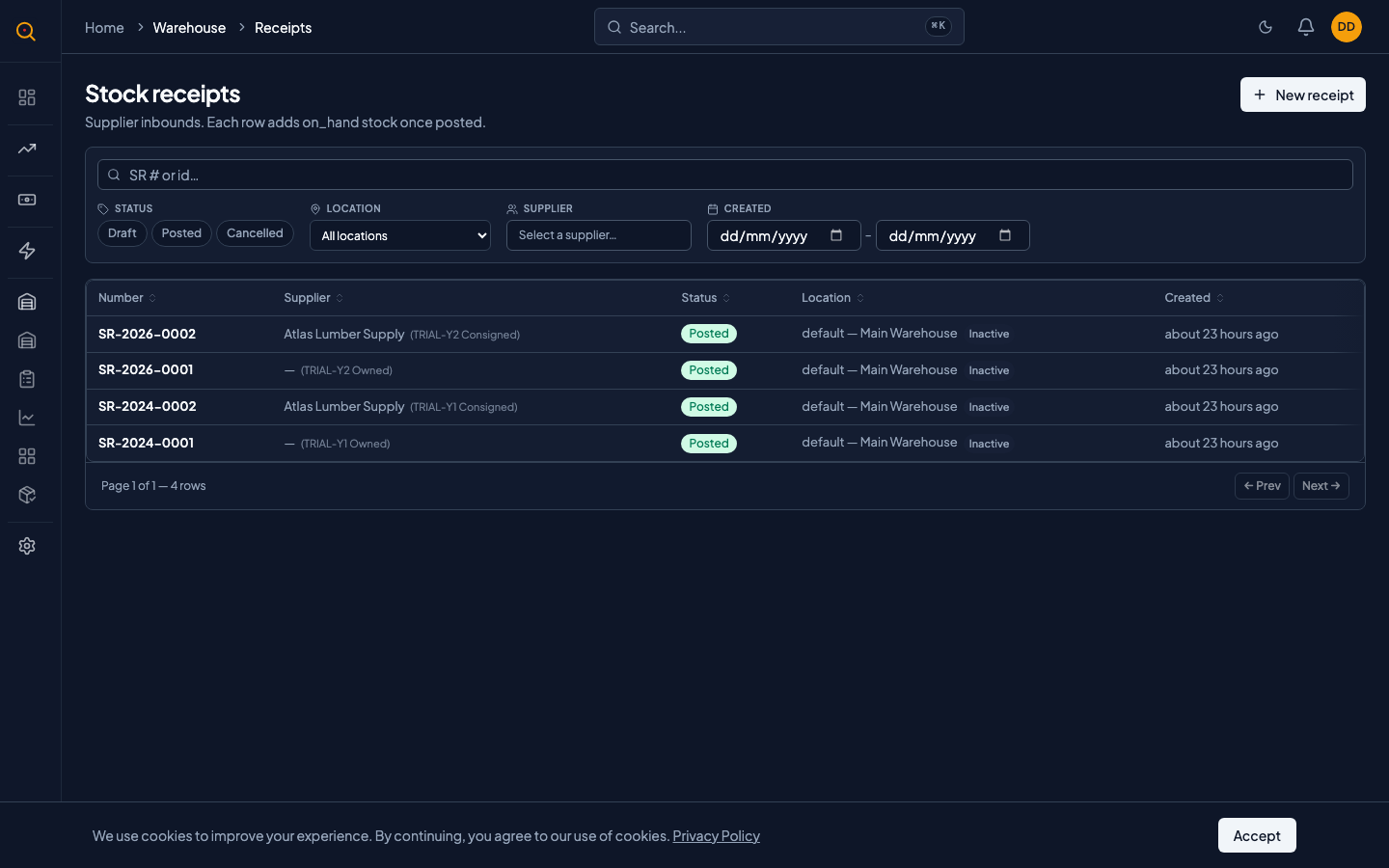
Stock receipts record incoming inventory from suppliers, capturing what arrived and where it was placed. Posting a receipt automatically adds quantities to your inventory and writes a permanent ledger entry.
Use a stock receipt when new inventory arrives from a supplier. Record what you received, how much, when it came in, and where you put it. Once posted, Quotery adds those quantities to your on-hand inventory and logs the movement in your stock ledger.
What you can do
- Record incoming shipments with product, quantity, supplier, and location details.
- Track consigned stock separately from owned inventory by marking a receipt as consigned.
- Receive the same product multiple times with distinct batch information on separate receipts.
- Cancel a posted receipt to write a reversal that restores accurate inventory counts.
- Search and filter all stock receipts by supplier, location, date range, or status.
- Attach supplier reference numbers and internal notes to every receipt for traceability.
How to...
Warehouse staff and managers can create, post, and cancel stock receipts. These walkthroughs cover receiving shipments, posting finalized receipts, and cancelling posted receipts. Each takes under 2 minutes.
🔑 Warehouse staff and managers⏱ Under 2 minutes per task
Create a stock receipt
- Navigate to Receipts from the sidebar (under Fulfillment) to see your list of stock receipts.
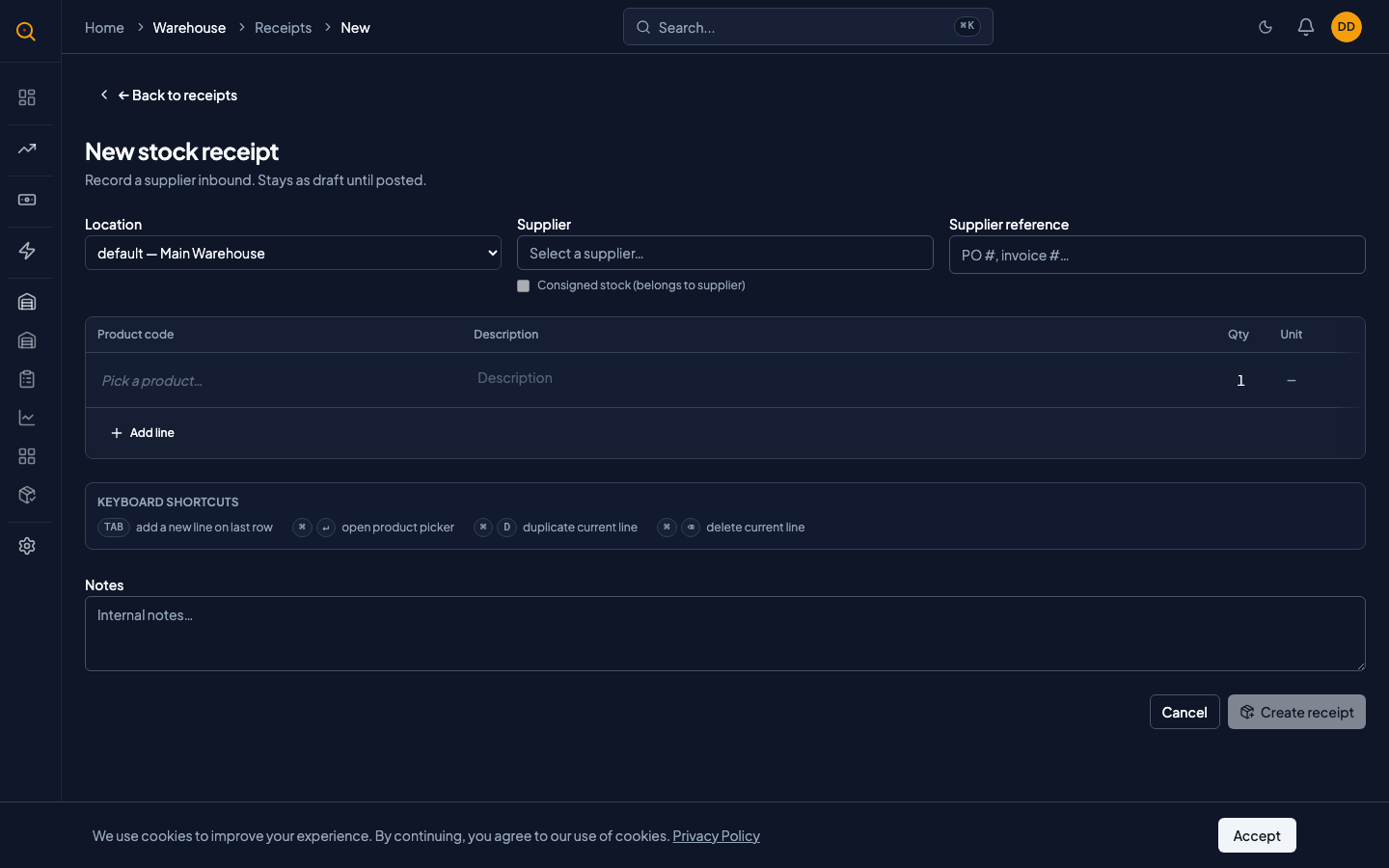
- Click the New Receipt button at the top of the page.
- Choose the location where the stock is arriving. This is the physical warehouse or stocking point that will hold these items.
- If the shipment is from a known supplier, select them from the dropdown. For a one-off supplier, you can leave this blank or type their name for your records.
- Add line items. For each product you received, pick the product from your catalog and enter the quantity. Optionally record the unit cost for your own reference.
- If this is consigned stock (the supplier still owns it until you sell it), check the Consigned box. The supplier's inventory will be tracked separately from your owned stock.
- Add any useful notes or the supplier's own reference number so future you knows exactly which shipment this was.
- Click Save. Your stock receipt is now in draft, ready for review.
Post (finalize) a stock receipt
- Open the draft stock receipt and double-check the quantities, location, and supplier.
- Click the Post button. Quotery immediately adds the received quantities to your on-hand inventory at the selected location.
- The receipt status changes to Posted, and the items appear in your stock overview. You cannot edit a posted receipt. This protects your inventory history from accidental changes.
- If the receipt was marked as consigned, the items land in your consigned stock view, separate from your owned inventory.
Cancel a posted stock receipt
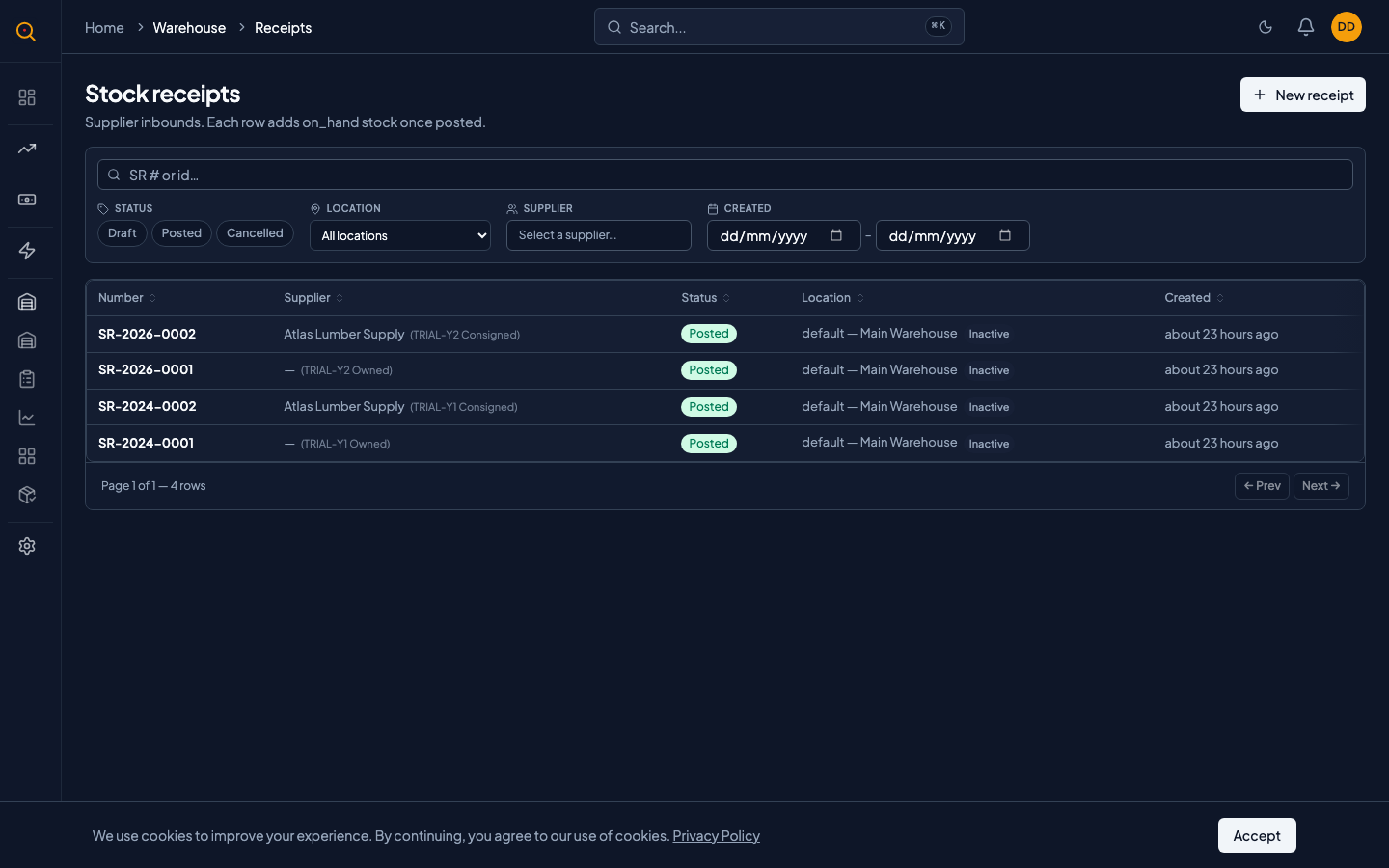
- Open the posted receipt you need to reverse. You'll see a Cancel action available.
- Click Cancel. Quotery writes a reversal record that subtracts the same quantities from inventory. Your stock counts return to what they were before the receipt was posted.
- The receipt status changes to Cancelled, and the cancellation is clearly visible in your stock movement history.
- If you need to redo the receipt with corrected quantities, create a brand new stock receipt. Cancelled receipts cannot be re-posted, which keeps your ledger clean and auditable.
Common scenarios
Receiving a standard supplier shipment
- Unpack the supplier shipment and count the items.
- Create a new stock receipt and pick the supplier from the list.
- Select the receiving location and add a line with the product and quantity.
- Enter the supplier's packing slip number in the notes field.
- Click Post. Inventory immediately reflects the additional units.
Managing consigned inventory from a supplier
- You create a stock receipt as usual when the consigned shipment arrives.
- You check the Consigned box and select the supplier.
- You post the receipt and the products appear in your Consigned Stock view.
- You sell and deliver the items to clients as needed.
- Quotery notifies the supplier when their consigned stock ships.