Daily Brief
What is the Daily Brief?
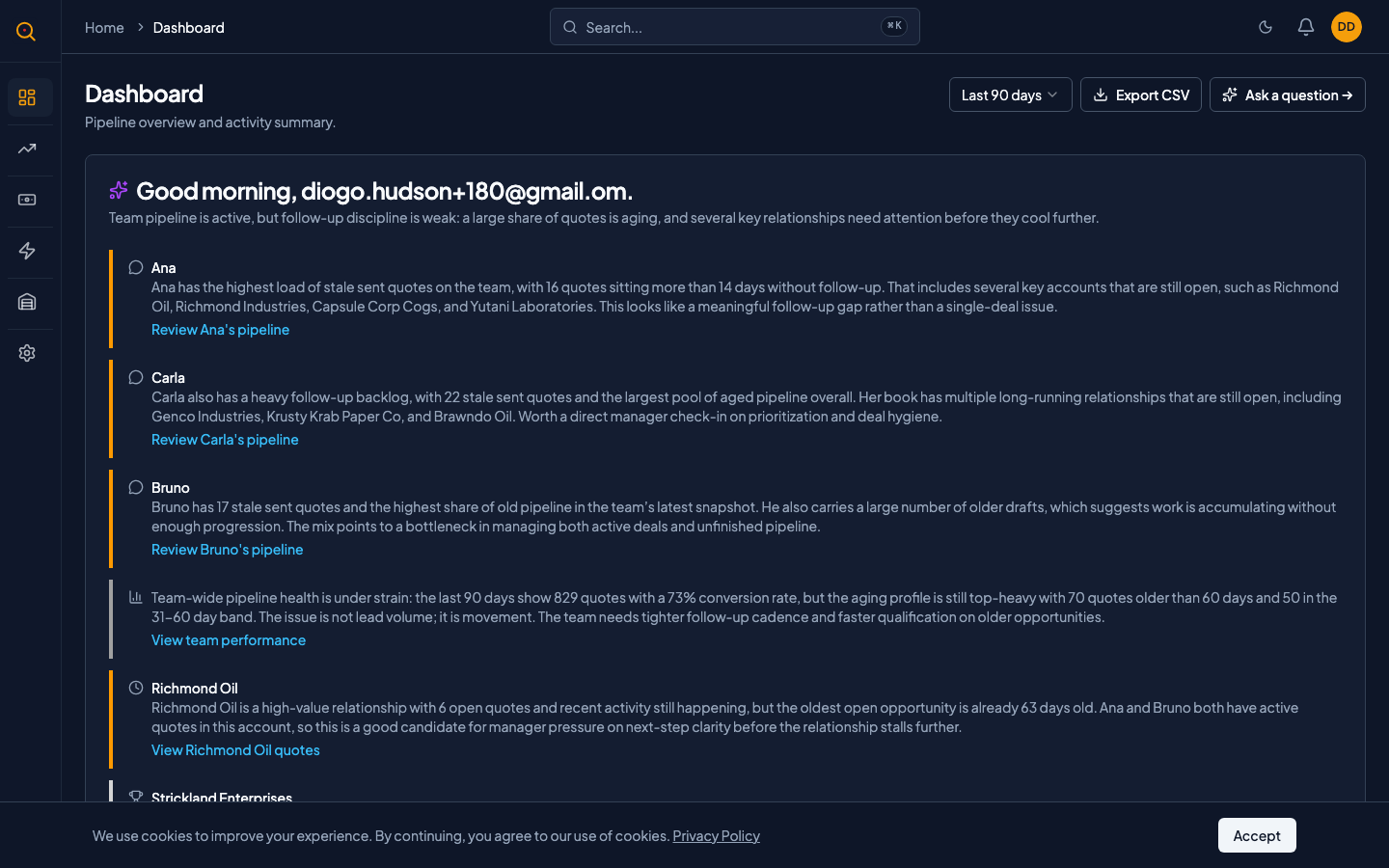
The Daily Brief is an AI-generated summary of what needs your attention today, delivered right on your dashboard. It analyzes your quotes, messages, and pipeline to give you a personalized list of action cards prioritized by urgency.
Sales reps see tasks relevant to their own deals, such as follow-ups, stale drafts, and recent wins. Managers see team-wide patterns and suggestions for who might need help. It works without any setup and updates once per day.
What you can do
- Get a personalized daily summary the moment you open Quotery, generated specifically for your quotes and pipeline.
- See actionable cards organized by priority so you know exactly where to start your day.
- Receive role-appropriate guidance: sales reps get personal tasks while managers get team-level insights.
- Get a positive message when your pipeline is quiet instead of an empty card.
- Return to your dashboard anytime during the day to review your brief again.
How to...
The Daily Brief works automatically for all roles. These walkthroughs cover how to read and act on your brief, each taking under a minute.
🔑 All roles⏱ Under 1 minute per task
Read your Daily Brief
- Open Quotery and navigate to Dashboard. Your Daily Brief card appears near the top of the page.
- The first visit each day shows a loading animation while the system generates your personalized summary.
- Once loaded, you will see a greeting, a headline summarizing your pipeline, and a list of action cards.
- Each card has a label like Follow Up, Stale Draft, or Recent Win, plus a link to the relevant quote.
Act on your Daily Brief cards
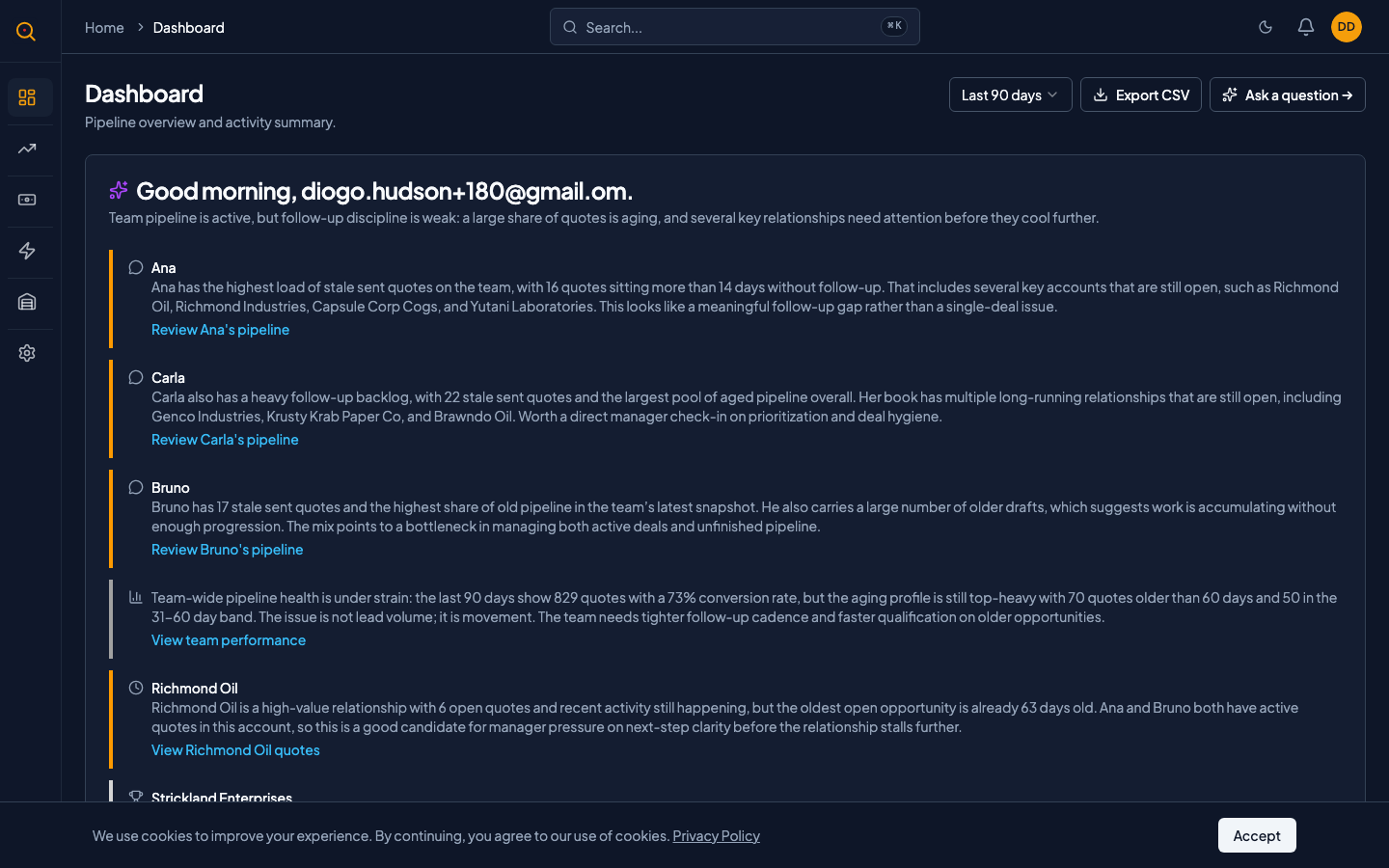
- Scan your cards from top to bottom. They are sorted by priority with the most important items first.
- A Follow Up card means a client replied. Click the linked quote to read the message and draft your response.
- A Stale Draft card means you started a quote but never sent it. Click through to finish or archive it.
- A Recent Win card celebrates an accepted quote, showing who it was for and the deal value.
Understand your brief's scope
- Sales reps see only their own quotes, follow-ups, and wins. It is a personal assistant, not a team report.
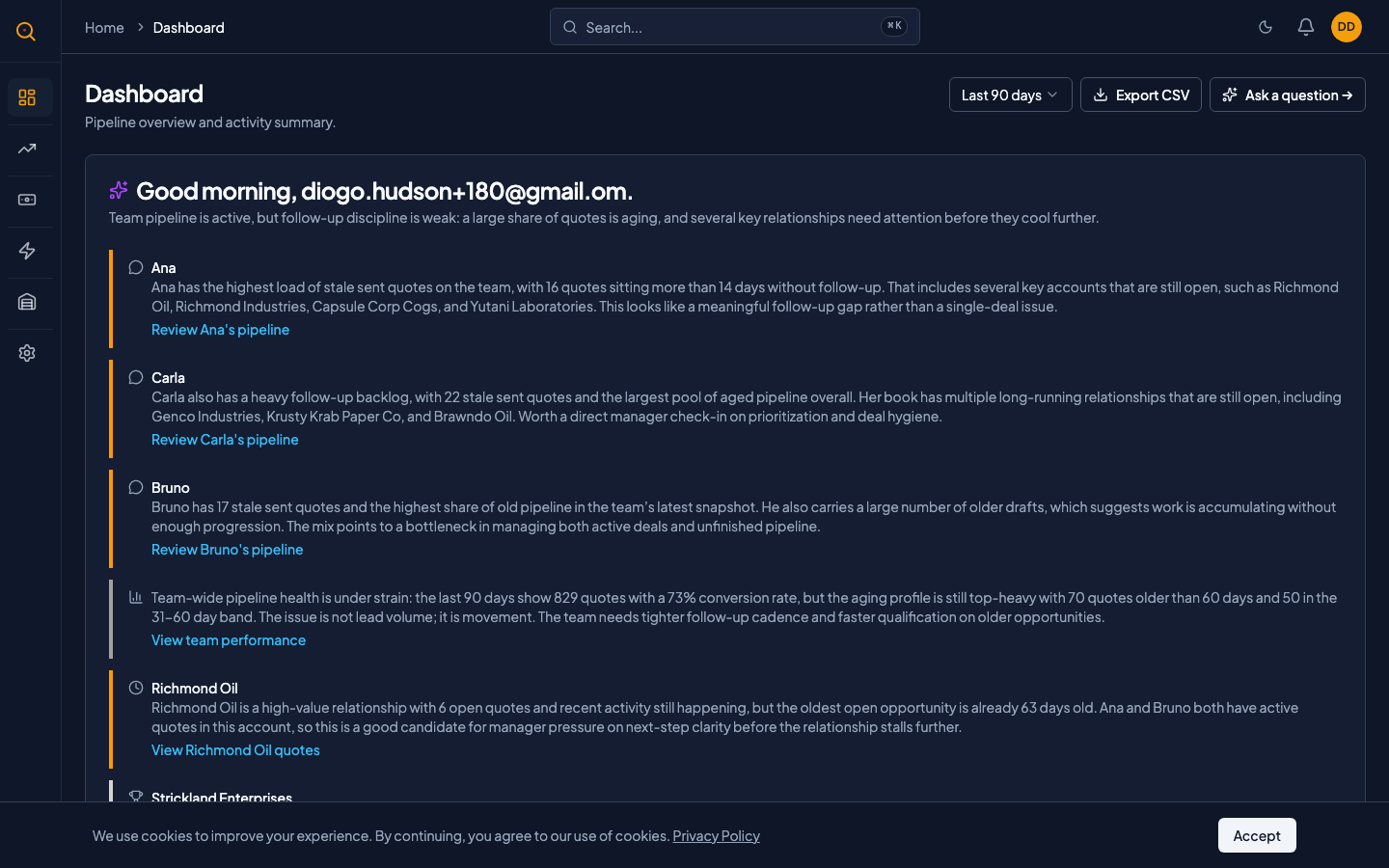
- Managers and admins see team-wide patterns including reps with stale drafts and overall pipeline health.
- Your brief is generated once per day and stays on your dashboard until the next morning.
- If the AI service is temporarily unavailable, the brief shows a fallback message rather than an empty space.
Common scenarios
Starting your day as a sales rep
- Open Quotery and your Daily Brief loads with a headline summarizing your active quotes and conversion rate.
- Act on the high-priority Follow Up card by clicking through to the quote and drafting your response.
- Resolve the medium-priority Stale Draft cards by finishing and sending the forgotten quotes.
- Take a moment to appreciate the Recent Win card showing the deal you closed yesterday.
Using the Daily Brief as a manager
- Open your brief and review the team-wide headline summarizing quotes created, accepted, and average close time.
- Note the Team Stale Quote card showing which rep has aging drafts and plan a coaching conversation.
- Check the Discount Opportunity card for quotes with discounts above threshold that may need approval review.
- Close the brief with a clear picture of your team's situation. No reports needed.