Background Jobs
What are Background Jobs?
Background Jobs handle long-running tasks that would take too long for a normal web page request, such as seeding demo data and resetting company data. Quotery processes these tasks in the background and shows you live progress so you are never stuck staring at a spinner.
Two key operations use this system: seeding demo data when you first start a trial, and resetting your company data if you need a clean slate. You can close the page and come back while the job keeps running. Progress is polled automatically with live counters.
What you can do
- Seed your trial account with realistic demo data including clients, products, quotes, and inventory.
- Watch live progress as demo data is created with counters for each entity type generated.
- Reset your entire company data to start fresh while preserving accounts, users, and settings.
- Track any background job's status from a single polling page that updates automatically.

How to...
Only admins can initiate background jobs. Demo data seeding is available during your free trial and data reset is in Company Settings. These walkthroughs each take under two minutes.
🔑 Admins only⏱ Under 2 minutes per task
Seed demo data during your free trial
- During your free trial, find the Seed demo data option on your dashboard or in the onboarding flow.
- Click the button. Quotery starts creating realistic sample data for your account.
- Watch the progress screen with live counters for clients, products, and quotes as they are generated.
- The process typically takes 30 to 90 seconds. Once complete, you are redirected to your populated dashboard.
- Each account can only seed data once. If you already have products, the seed option will not be available.
- If the job fails, you will see an error message and can safely retry.
Reset your company data
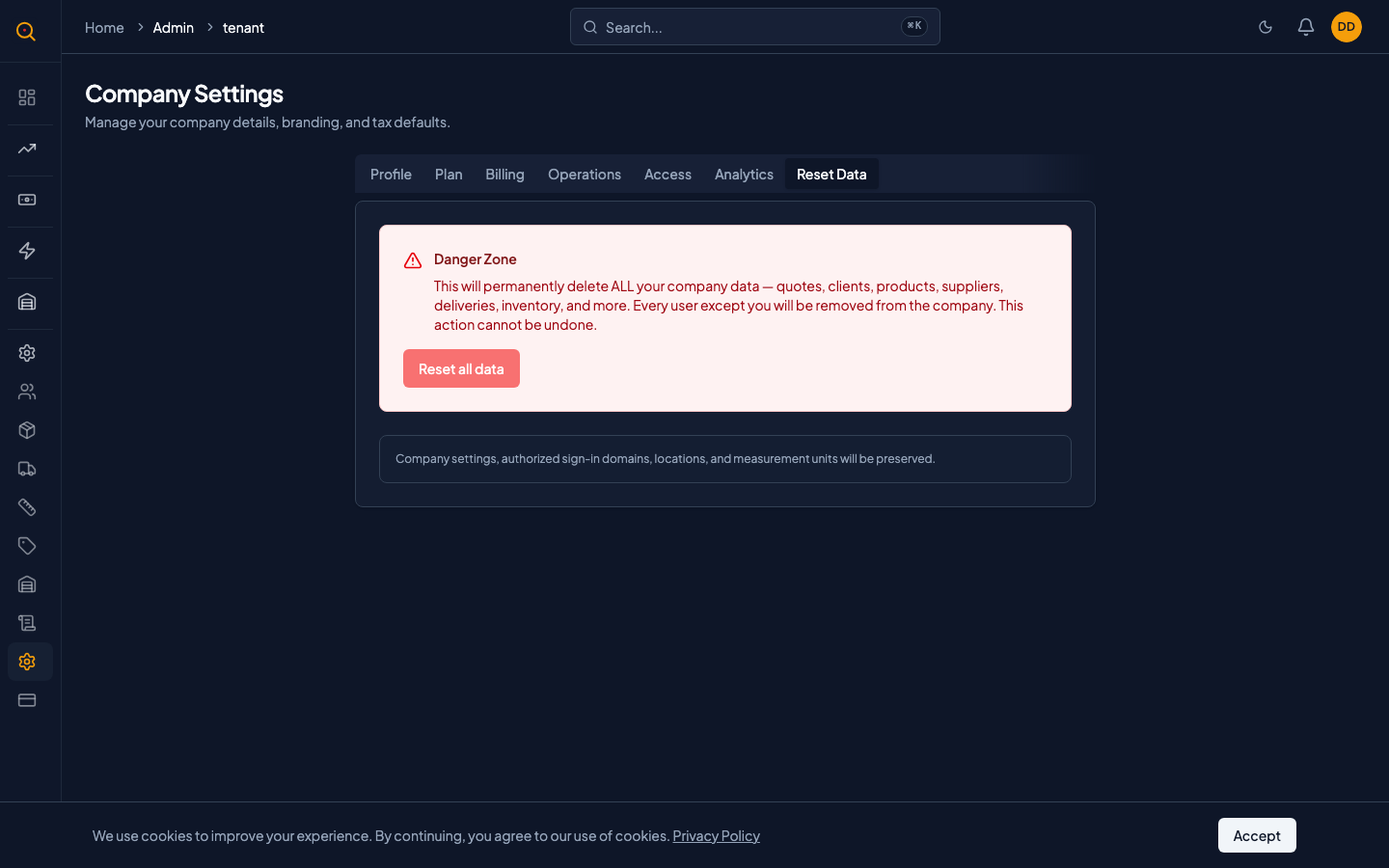
- Navigate to Company Settings from the sidebar and locate the Reset data option.
- Type your company name exactly as confirmation to prevent accidental resets.
- After confirming, the reset job begins. It deletes business data but preserves accounts and settings.
- Track the progress on screen. The job takes a minute or two depending on how much data you have.
- When complete, you are redirected to a clean dashboard with your team and settings intact.
- Only one reset job can run at a time. Wait for any in-progress reset to finish before starting another.
Check the status of a running job
- If you navigated away from the progress screen, return to it from the same place you started the job.
- The progress screen polls for updates automatically every 2 seconds while the job is running.
- Check the job status: Pending, Started with live progress, Success, or Failure.
- On success, the page shows a confirmation. On failure, an error message explains what went wrong.
Common scenarios
Starting your trial with realistic demo data
- You just signed up for a free trial and the empty dashboard is not helpful.
- You click Seed demo data and watch as Quotery generates hundreds of clients, products, and quotes.
- Within a minute, your dashboard looks like a real business with realistic data to explore.
- You test quotes, the customer portal, and reports with meaningful content instead of blanks.
Cleaning up after testing and training
- Your team spent a week testing workflows and training new hires, creating dozens of test records.
- You navigate to Company Settings and confirm the reset by typing your company name.
- The background job clears all business data while preserving your team, roles, and settings.
- A minute later, you have a pristine account ready for real business.